
Most backlogs don't die because teams stop caring. They die because nobody can tell which 200 of the 4,000 open tickets are actually worth fixing at the product level. The backlog becomes a graveyard — tickets pile up after the customer's been placated, and the real recurring problems quietly rot into debt nobody has words for anymore.
The issue isn't triage. Teams are usually fine at triage. The issue is there's no reliable path from "we keep getting these tickets" to "engineering should fix the thing causing these tickets." Those are two different motions, and most support orgs only have the first one figured out.
This is about building the second motion — a repeatable way to take clusters of tickets and turn them into prioritized product work, with scoring that holds up when a PM pushes back, SLAs so backlogged items don't rot forever, and a re-evaluation rhythm that stays synced with reality.
The real failure mode: clusters that never become decisions
Here's what support backlog prioritization usually looks like in practice. An agent sees the same billing export bug for the fifth time this week. They solve it the same way — manual workaround, apologetic email, ticket closed. The ticket is "resolved." The customer is fine. The signal evaporates because resolution and pattern detection happen at completely different altitudes.
By the time someone notices the pattern — usually because a big account finally complains loudly — there are 60 closed tickets about the same thing, scattered across three tags, two of which were misapplied. Nobody can assemble the case quickly because the evidence is fragmented, and the PM asking "how often does this actually happen?" gets a shrug and a guess.
It usually comes down to three things:
-
Resolution culture beats pattern culture. Agents are measured on closing tickets, not flagging systemic issues. So the systemic issue never gets flagged.
-
Clusters are invisible without deliberate grouping. Fifty tickets about the same root cause don't look like fifty tickets about one problem. They look like fifty separate tickets.
-
No shared scoring language. Support says "this is urgent," engineering says "everything is urgent," and nobody has a number to argue with.
The fix isn't more urgency. It's a rubric that converts raw signal into a defensible priority, plus the operational scaffolding to keep it honest over time.
The signal → cluster → cost → impact rubric
The whole model is four stages. Each one answers a specific question and produces an artifact the next stage uses. Don't skip stages — the reason most prioritization arguments go nowhere is that teams jump straight from "signal" to "impact" and start guessing.
Never lose track of a customer request again.
Servyly helps you track, assign, and resolve every ticket quickly and efficiently.
- Centralized ticket management
- Automated response workflows
- Team collaboration tools
No credit card required
Stage 1 — Signal
A signal is a single piece of evidence that something recurring is happening. One ticket is a signal. A reopened ticket is a stronger signal. A ticket that escalated to an account manager is stronger still.
The mistake is treating all signals as equal weight. A ticket from a self-serve trial account and a ticket from your second-largest contract are not the same signal, even if the underlying bug is identical. Capture the metadata that lets you weight them later: account tier, ARR band, whether it reopened, whether it escalated, and the resolution path the agent used.
One practical note — if your closure process is sloppy, your signals are noise. Clean closures with accurate root-cause tagging are what make clustering possible later. If reopens are polluting your data, fixing that upstream matters more than any rubric. The mechanics of that are covered in this breakdown on closure checklists and QA triggers that reduce reopens.
Stage 2 — Cluster
A cluster is a group of signals that share a root cause — not a tag. This trips people up constantly. Tags describe symptoms ("login," "billing," "export"). Clusters describe causes ("SSO token expires early on Safari," "invoice PDF drops line items over 40 rows").
A typical example: you've got tickets tagged billing, export, and urgent that are all actually the same invoice-rendering bug. Tag-based grouping splits them three ways and undercounts the problem by two-thirds.
To build a cluster you need:
-
A clear root-cause hypothesis written in one sentence
-
The list of underlying tickets, with their signal weights
-
A rough frequency (tickets per week, trend direction)
-
A reproducible case — because clusters without reproduction steps die on the engineering side
That last point matters more than people expect. A cluster that can't be handed off cleanly won't get fixed no matter how high it scores. The structure of a clean handoff is worth getting right, and the approach in this piece on reproducible escalation packets and triage filters maps directly onto what a cluster needs before it leaves support.
A quick visual of how the stages flow can help teams see where handoffs happen.
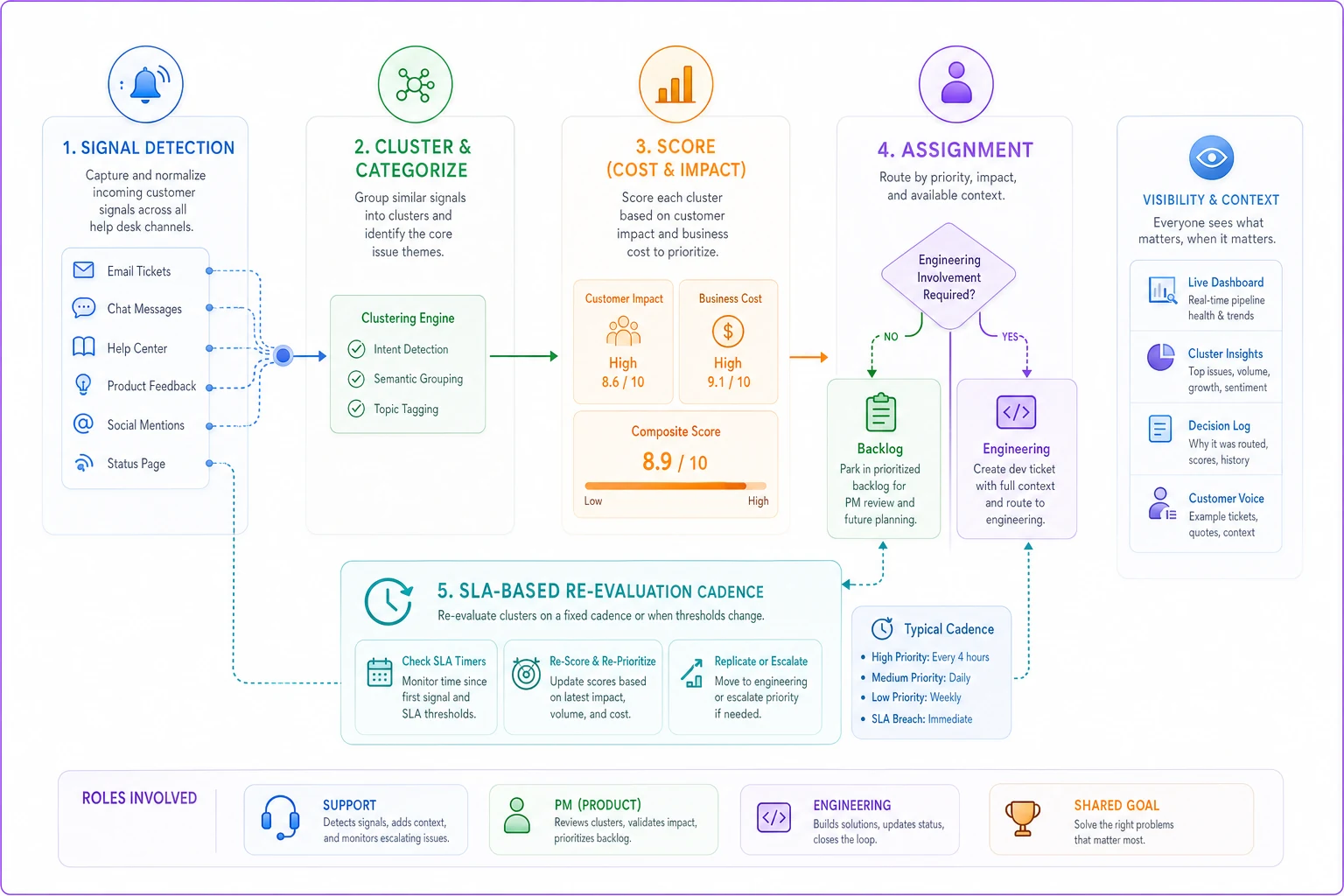
This maps the handoff points and the re-evaluation loop described above.
Stage 3 — Cost
Cost is what the cluster is costing you right now, every week it stays unfixed. This is the number support teams almost never calculate, and it's the one that moves PMs.
-
Support cost — handle time per ticket × frequency. If a cluster generates 18 tickets a week and each takes roughly 22 minutes to work through (including the workaround and follow-up), that's around 6.5 agent-hours weekly. Over a quarter, close to 85 hours of pure, repeated, avoidable labor.
-
Customer cost — churn risk, escalation load, CSAT drag. Harder to quantify but not optional. A cluster that only generates 4 tickets a week but hits two enterprise accounts can cost more than one generating 30 tickets across free users.
The insight most teams miss: a cheap-to-handle ticket that recurs forever can quietly out-cost a painful one-off. The drip is the danger, not the spike.
Stage 4 — Impact
Impact is what fixing the cluster actually buys you — tickets eliminated, hours reclaimed, churn risk reduced, maybe a sales blocker removed. Where cost looks backward and present, impact looks forward.
Teams tend to forget that impact has to be weighed against fix effort. A cluster costing 85 hours a quarter that takes engineering two days to fix is an obvious yes. The same cluster requiring a three-month platform rework is a different conversation entirely. Capture a rough engineering t-shirt size (S/M/L) alongside impact so prioritization isn't divorced from feasibility.
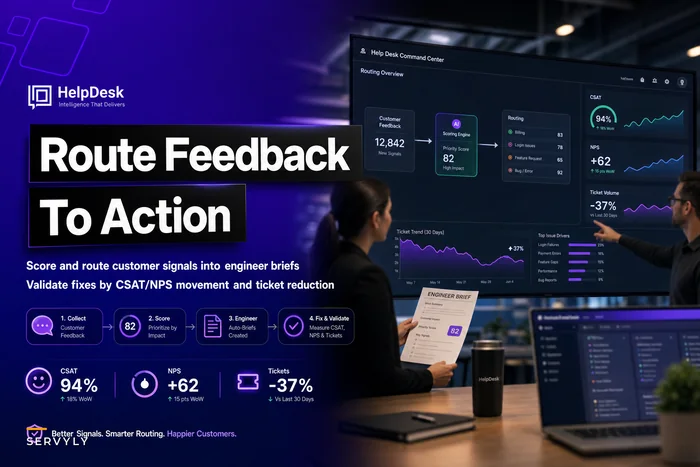
If you want the fix-validation loop to actually close — confirming the cluster is dead after the fix ships — the scoring and post-fix verification approach in routing customer feedback to action with post-fix validation is the companion motion to this rubric.
A sample prioritization matrix
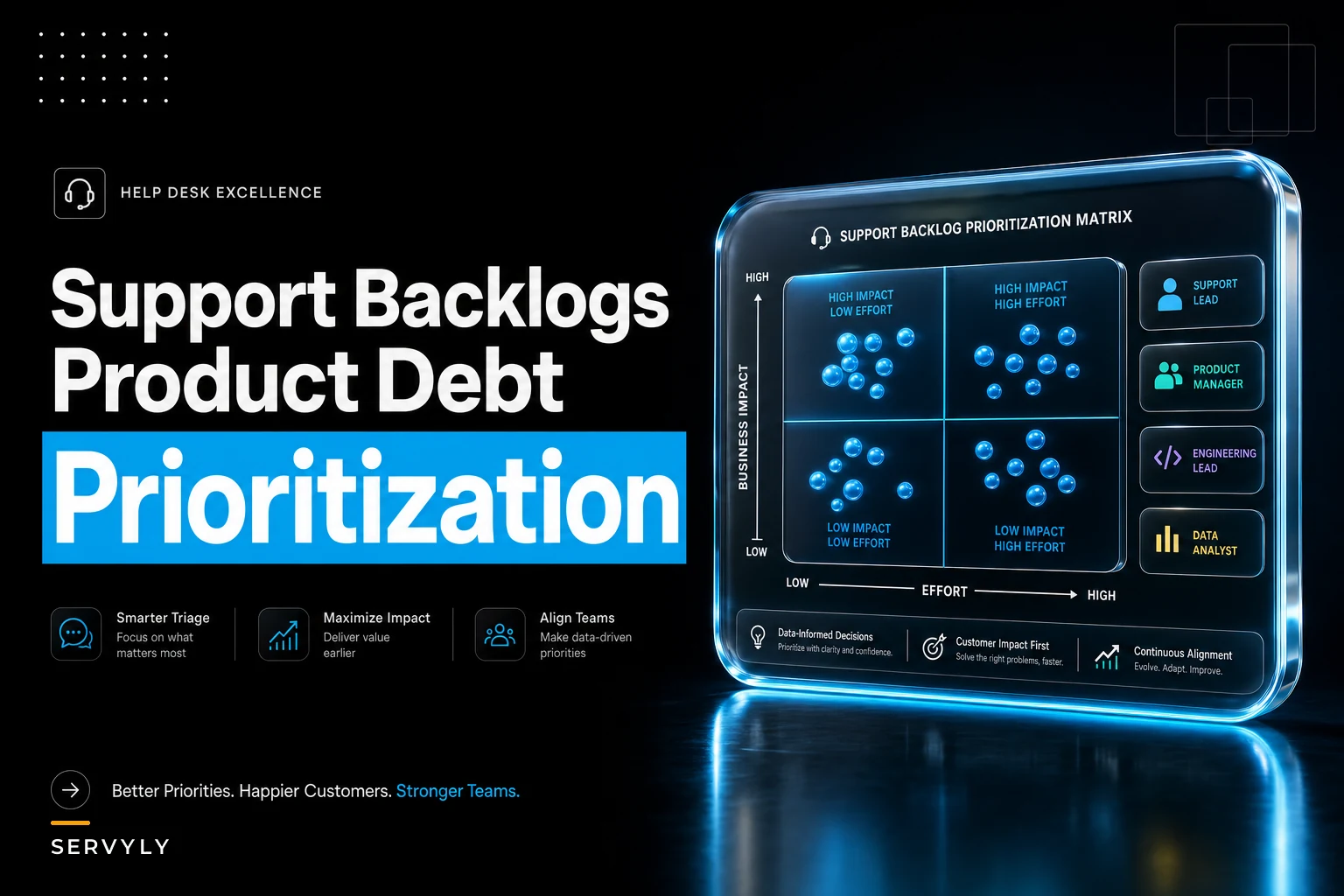
Once each cluster has the four stages scored, you need a single comparable number. Here's a scoring model that's survived real PM pushback because every input is defensible.
| Dimension | What it measures | Weight | Why this weight |
|---|---|---|---|
| Frequency | Tickets/week and trend | 25% | Volume is real cost but not the whole story |
| Account value | Tier/ARR of affected accounts | 30% | A few key accounts outweigh many small ones |
| Fix effort (inverted) | Engineering size, S=5, L=1 | 20% | Cheap fixes jump the queue |
| Strategic drag | Blocks sales, onboarding, or renewal | 25% | Captures cost the ticket count misses |
Weighted score = (Freq × .25) + (Account × .30) + (FixEffort × .20) + (Drag × .25)
A worked example across three clusters:
| Cluster | Freq | Account | Fix Effort | Drag | Score |
|---|---|---|---|---|---|
| Invoice PDF line-item drop | 5 | 4 | 4 (M) | 3 | 4.05 |
| SSO Safari token expiry | 2 | 5 | 3 (M) | 4 | 3.65 |
| Export timeout on large sets | 4 | 2 | 2 (L) | 2 | 2.60 |
Notice the invoice bug wins despite the SSO issue hitting higher-value accounts — because it's frequent and cheaper to fix. That's the matrix working as intended. It stops the "loudest account wins" default that burns engineering goodwill on low-leverage fixes.
Thresholds that tend to hold up in practice:
-
Score ≥ 3.5 → candidate for the next engineering planning cycle
-
Score 2.5–3.4 → backlog with an SLA (below)
-
Score < 2.5 → monitor; revisit only if frequency climbs
Use these thresholds as starting guidance and calibrate them to your org's capacity and appetite for risk.
SLAs for backlogged items (so they don't rot)
The backlog is where prioritization goes to die. A cluster scores a 2.9, lands in the backlog, and just sits. Six months later it's still a 2.9 but now it's generating twice the tickets and nobody re-scored it.
Backlogged clusters need SLAs the same way live tickets do — not response SLAs, but review and escalation SLAs.
A workable policy:
-
Every backlogged cluster gets a re-score date. No cluster sits unreviewed longer than its tier allows.
-
Mid-tier clusters (2.5–3.4) re-scored every 30 days.
-
Low-tier clusters (<2.5) re-scored every 90 days, or immediately if frequency doubles.
-
Auto-escalation trigger if a backlogged cluster's frequency grows by 50% between reviews, it jumps the queue for an out-of-cycle re-score regardless of calendar date.
-
Staleness cap any cluster untouched for two review cycles gets force-reviewed or formally retired with a documented reason.
That last rule matters. A backlog without a retirement path grows forever, and an infinite backlog is functionally the same as no backlog — you can't see anything in it. Killing clusters deliberately (because they resolved themselves, the feature was deprecated, or volume dried up) is as important as promoting them.
The re-evaluation cadence
Scoring a cluster once is nearly useless. The world moves — a Safari update doubles your SSO tickets, a pricing change makes the invoice bug hit bigger accounts, a competitor ships the feature your export cluster was blocking. Priorities that aren't refreshed drift into fiction.
A cadence that holds up without becoming a meeting tax:
-
Weekly (15 min, support lead) scan new signals, spin up new clusters, flag frequency spikes. No scoring — just detection.
-
Biweekly (30 min, support + PM) re-score active and mid-tier clusters, promote anything crossing 3.5, apply backlog SLAs.
-
Monthly (45 min, support + PM + eng lead) review the top of the prioritized list against engineering capacity, retire dead clusters, sanity-check weights.
-
Quarterly revisit the matrix weights themselves. If you keep overriding the score with gut calls, your weights are wrong — fix the model, don't abandon it.
The common mistake is making this an elaborate ceremony. It collapses under its own weight within a couple of months. Keep the weekly tight and detection-only; that's the step that actually prevents the graveyard from forming in the first place.
A real scenario
A B2B scheduling platform — roughly 40 support tickets a day, four agents, one overworked PM relationship — had a backlog of about 2,800 tickets that everyone had quietly given up on. Engineering got support requests as one-off Slack messages, usually from whoever complained loudest that week.
They ran the rubric retroactively on three months of closed tickets. Clustering surfaced something nobody had named: a timezone-handling bug was generating around 25 tickets a week, spread across six different tags, which is exactly why it had stayed invisible. Individually each ticket took only about 15 minutes, so no single agent felt the pain. Aggregated, it was close to 80 hours a quarter of pure rework — plus two mid-size accounts had cited it as a renewal concern.
It scored a 4.2. Engineering fixed it in about a day and a half once they had a clean reproduction and the cost number in front of them. Within six weeks that cluster's ticket volume dropped to near zero, and the agents collectively got roughly a day a week back. Nothing about the fix was technically hard. The hard part had been seeing it as one problem — and having a number credible enough to get it scheduled.
When this makes sense — and when it doesn't
This works well when: you have enough ticket volume that patterns actually form (somewhere around 20+ tickets/day), a working relationship with a product or engineering team, and reasonably clean closure data to cluster against.
This is overkill when: you're doing under 10 tickets a day. At that volume you can hold the patterns in your head, and formal scoring is just overhead. A shared doc and a monthly conversation beats a weighted matrix.
Who should not do this yet: teams whose tagging and closure data is a mess. Garbage signals produce garbage clusters, and a precise-looking score built on bad data is worse than an honest guess — it's a wrong answer wearing a suit. Fix the data hygiene first, then layer this on.
Where tooling quietly helps
None of this requires exotic software, but the clustering step is where teams drown by hand. Grouping fifty tickets by actual root cause across inconsistent tags is tedious, and that tedium is exactly why the work doesn't get done.
Operational platforms with AI-assisted grouping can surface candidate clusters — tickets that read like the same underlying problem even when they're tagged differently — and keep a running frequency count so the re-score cadence has live numbers instead of stale guesses. The judgment stays with your team; the pattern-spotting and the bookkeeping get taken off their plate. That's the right division of labor: humans decide what matters, automation makes sure nothing recurring stays invisible.
Closing thought
The backlog isn't debt because it's big. It's debt because it's illegible — a pile of resolved tickets with no path back to the product decisions that would stop them from recurring. The rubric here exists to keep that pile legible: signals weighted, clusters named, costs counted, and priorities re-checked often enough to stay true. Do that consistently and the backlog stops being a graveyard and starts being the best product-planning input your company has.
Ready to transform your support operations?
Join 500+ support teams using Servyly to reduce resolution times, improve customer satisfaction, and boost team productivity.