
Your account managers and CSMs have maybe 15–20 hours a week of usable bandwidth before their strategic work starts slipping. That's the real budget. And most support teams burn through it in the worst way: escalating based on who yells loudest, or defaulting to "loop in the AM" whenever someone feels nervous about a ticket.
The problem isn't that support escalates too much. It's that support escalates without pricing. There's no shared understanding of what a commercial escalation costs the account team, and no rule for when that cost is actually worth it. So a $900/year customer with a frustrated tone gets the same treatment as a $180k renewal that's genuinely at risk. Both pull an account manager off real work for 40 minutes.
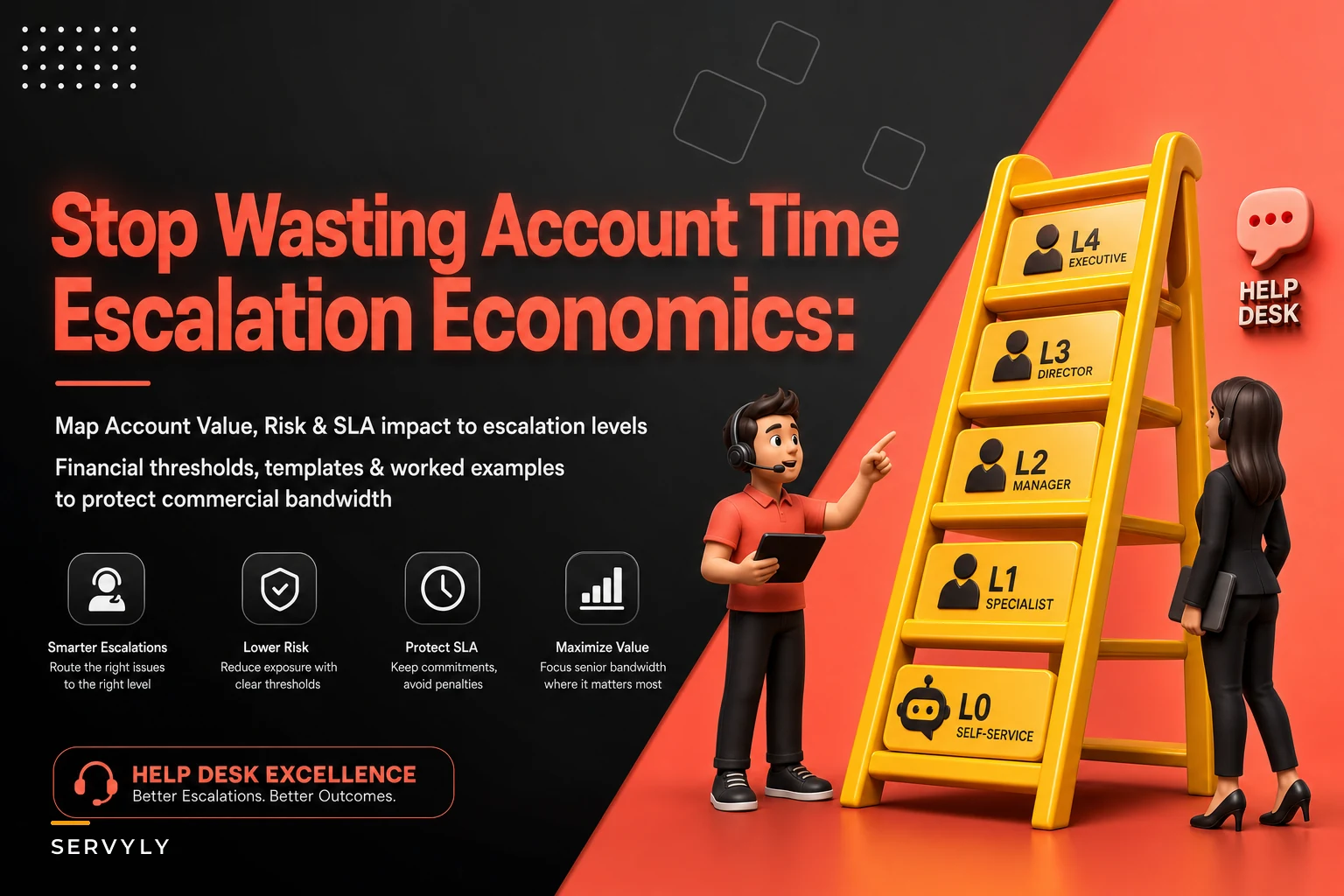
This piece is about fixing that with a decision ladder — a set of thresholds that tell you exactly when a ticket earns commercial involvement and when it doesn't. Escalation economics for support isn't about being cold. It's about protecting the small pool of people who can actually save a deal, so they're available when it counts.
Commercial bandwidth is the scarcest resource in the room
Support capacity is elastic. You can add contractors, tune automation, shift schedules. Commercial bandwidth isn't. You have a fixed number of AMs and CSMs, each managing a book of business, each with a hard ceiling on how many "drop everything" moments they can absorb in a week.
Support tends to treat escalations to the account team as free. They're not. Every commercial escalation carries a real cost — the AM's context-switch, 20 minutes of catch-up reading, the internal Slack thread, the follow-up call, the mental residue after. Call it 45–90 minutes per escalation, even for a nothing-burger.
Now multiply. A team pushing 30 "commercial" escalations a week, half of which didn't need commercial eyes, is quietly burning 10–15 hours of account-management time. That's an entire day per AM spent on tickets a well-briefed support lead could've closed alone.
The insight most teams miss: the goal isn't fewer escalations. It's correctly priced ones. Some tickets absolutely deserve to yank a CSM out of QBR prep. The trick is building a rule that separates those from the noise before anyone gets pulled in.
The three variables that actually determine involvement
Every escalation decision comes down to three inputs. Not tone. Not who filed the ticket. Not reply count. Those are distractions.
Never lose track of a customer request again.
Servyly helps you track, assign, and resolve every ticket quickly and efficiently.
- Centralized ticket management
- Automated response workflows
- Team collaboration tools
No credit card required
Account value. ARR or contract size, plus expansion potential. A $12k account behaving badly is a different math problem than a $220k account behaving identically.
Risk state. Is this account at genuine churn or downgrade risk, or just annoyed? These are wildly different situations. Annoyance is a support problem. Churn signal is a commercial problem. Confusing the two is the most common reason bandwidth gets wasted.
SLA impact. Is this a breach of a contractual commitment with real financial or reputational teeth — like a credits clause or a public-facing outage on a marquee logo — or an internal target miss the customer won't even notice?
The mistake teams make is letting one dramatic variable override the other two. A furious email on a tiny account with no SLA exposure feels urgent, so it gets escalated. Meanwhile a quiet mid-market account that stopped logging in three weeks ago — real churn risk, decent value — gets nothing, because nobody's shouting.
You need all three scored together. That's what the ladder does.
The decision ladder
Score each ticket across the three variables, then read off the required commercial involvement. The point is to make the decision before emotion enters the room.
| Account Value | Risk State | SLA Impact | Required Commercial Involvement |
|---|---|---|---|
| < $15k ARR | Annoyed, not at risk | Internal target miss only | None. Support resolves + logs. |
| < $15k ARR | Real churn signal | Contractual breach | Async brief to AM (Slack summary, no meeting). |
| $15k–$75k ARR | Annoyed | Internal miss | None. Support lead reviews closure. |
| $15k–$75k ARR | Real churn signal | Contractual breach w/ credits | AM notified within 4 hrs, decides on outreach. |
| $75k–$150k ARR | Any elevated risk | Any breach | AM engaged same-day, joins if customer requests. |
| > $150k ARR | Real churn / downgrade signal | Contractual breach | CSM + AM pulled in immediately, exec optional. |
| Any tier | Legal/security exposure | Public SLA breach on named logo | Immediate escalation regardless of value. |
Two things worth calling out. Notice how much of the table says "None" or "async." That's deliberate. Most tickets — even from decent accounts — don't need anyone from the commercial side. Second, the bottom row breaks the value rule on purpose. A security or legal exposure on a $4k account can still become a $400k problem, so it jumps the queue regardless.
The financial thresholds are starting points. Set yours based on your actual ARR distribution — usually the tercile boundaries of your book. If your median account is $40k, your bands look different than a team whose median is $8k.
Visualize this ladder as a simple decision workflow from scoring to required commercial involvement.
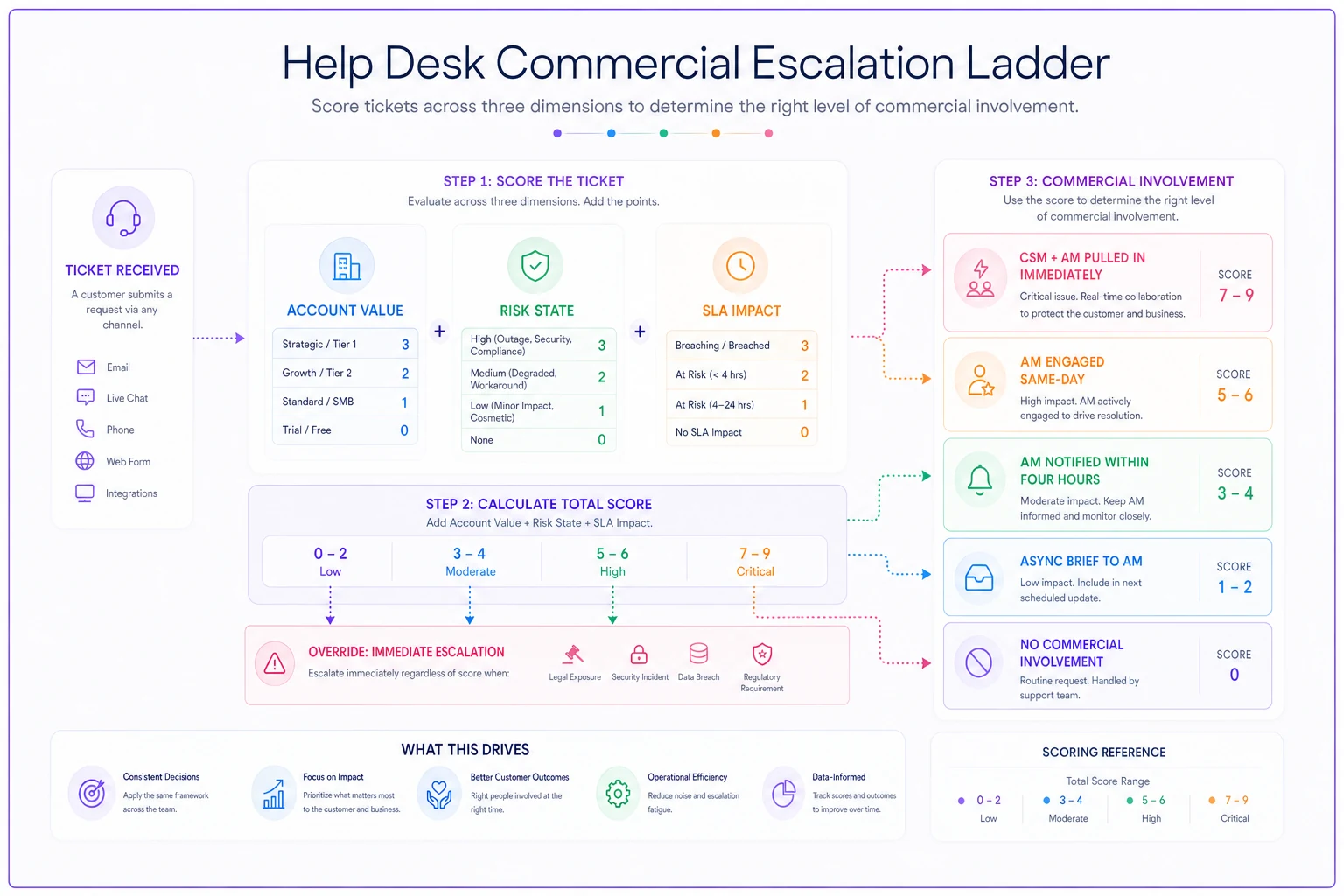
The workflow layer matters too. A ladder that lives in a wiki nobody opens is worthless. The version that actually works is one where ARR, renewal date, and SLA clause surface on the ticket automatically, and where the routing rule pushes the right async brief to the right person without a human deciding each time. That's where operational software with some automation earns its keep — not by making the escalation decision for you, but by putting the three variables in front of the handler and enforcing the rule you already agreed on. The judgment stays human. The consistency gets automated.
How to actually run it: the five-step triage
The ladder only works if it's applied consistently, which means it can't live in someone's head. Here's the sequence that keeps it honest.
-
Pull account value from the CRM, not memory. The ticket handler should see ARR and renewal date on the ticket itself. If they're guessing, the whole model collapses.
-
Score risk state with evidence, not vibes. "Customer sounds mad" isn't a risk signal. "Customer mentioned evaluating a competitor" or "usage down 60% this month" is. Force one concrete data point.
-
Check the SLA clause, not the SLA target. Look at whether this specific miss triggers a contractual consequence. Most don't. If you've segmented your commitments properly — the way you would when you design SLAs and SLOs by customer segment — this check takes seconds.
-
Read the required involvement off the ladder. No debate, no "let me just loop them in to be safe." The ladder decided.
-
Log the decision and the inputs. So you can audit whether the thresholds are calibrated correctly, and so nobody re-litigates the same call three times.
Pull ARR and renewal date into the ticket view so handlers never guess.
The step people skip is #5. Without logging, you can't tell whether you're over- or under-escalating, and you'll never tune the thresholds. Six weeks of decision logs will show you exactly where your bands are wrong.
The async brief template
Half the bandwidth savings come from realizing that "involve the account team" doesn't mean pulling them into a call. For most mid-tier escalations, a tight written brief is enough for the AM to decide whether they even need to act.
Keep it short. If it takes more than 90 seconds to read, it's too long:
-
Account + ARR + renewal date one line.
-
What happened two sentences, plain language, no ticket jargon.
-
Why it's escalating the specific risk or SLA trigger — one line.
-
What support already did so the AM doesn't repeat it.
-
What we need from you a specific ask. "FYI only," "reach out by Friday," or "need your call on a goodwill credit." Never a vague "thoughts?"
That last line is where most briefs fail. An escalation with no clear ask forces the AM to reconstruct the situation and invent the decision they're being asked to make. That's the 45-minute tax again. A specific ask turns a 45-minute distraction into a 5-minute reply.
A real scenario: mid-market SaaS, 6 CSMs, escalation creep
A B2B analytics company with around 400 accounts and a six-person commercial team had a bandwidth problem that looked, on the surface, like a support quality problem. CSMs had no time for expansion conversations. Renewals were getting prepped the night before.
When they pulled a month of escalations, the picture was obvious: roughly 110 tickets had been pushed to the commercial team. About 70 of those were from accounts under $20k ARR — mostly frustrated-tone tickets with no churn signal and no SLA clause in play. Each one cost a CSM somewhere between 30 and 60 minutes. Do the math and it's close to 50–60 hours a month — most of a full-time person — spent on escalations that never needed commercial eyes.
They put the ladder in place with three bands set to their book ($20k / $80k / $175k). After about six weeks, commercial escalations dropped to roughly 45 a month, and the ones that got through were mostly real — churn risk on accounts worth defending. CSMs got back something in the range of 30–40 hours monthly across the team. Renewal prep stopped being a fire drill. CSAT on high-value escalations went up, because the people handling them weren't already buried under low-value ones.
The low-tier tickets didn't get worse. They got handled by support with proper closure discipline instead of being tossed over the fence.
When the ladder is the wrong tool
A few situations where rigid thresholds do more harm than good:
Very small books. If you have two AMs and 40 total accounts, they already know every customer by name. Formal thresholds add ceremony without saving meaningful time.
Founder-led or enterprise-only motions. When every account is a $500k+ relationship, "protect commercial bandwidth" isn't the real constraint — every account warrants attention. The ladder assumes a long tail worth filtering. If you don't have a tail, don't build the filter.
Highly volatile early-stage products. If your product breaks constantly and any customer can churn over a single bad week, static value bands mislead. You're better off with risk-state as the dominant variable until the product stabilizes.
For everyone else — the mid-market and SMB-heavy books with a real long tail — the ladder is the right tool. The bigger and flatter your account distribution, the more it saves.
Where this ties into the rest of your cost model
The ladder controls who gets involved. It pairs naturally with the question of what escalations cost in the first place — if you haven't built a routing model yet, the thinking in quantifying the cost of escalations gives you the per-escalation numbers this ladder assumes. And when whole segments of your book are chronically expensive to serve relative to their value, that's a different decision — one better handled through a cost-to-serve portfolio framework than per-ticket triage.
The workflow layer matters too. A ladder that lives in a wiki nobody opens is worthless. The version that actually works is one where ARR, renewal date, and SLA clause surface on the ticket automatically, and where the routing rule pushes the right async brief to the right person without a human deciding each time. That's where operational software with some automation earns its keep — not by making the escalation decision for you, but by putting the three variables in front of the handler and enforcing the rule you already agreed on. The judgment stays human. The consistency gets automated.
Calibrate quarterly, and let the data move your thresholds
Set your bands once and you'll get them wrong. Book distributions shift. A round of upsells moves your median. A pricing change reshuffles everything. Pull your escalation logs every quarter and ask two questions: are we escalating things that turned out not to matter, and are we missing things that turned into churn?
Teams that get real leverage treat the ladder as a living rule, not a policy poster. If a $60k account churned and never triggered commercial involvement, your risk-state scoring is too conservative — fix it. If your CSMs are still drowning, your value floor is too low — raise it.
Escalation economics for support isn't about saying no to customers. It's about being deliberate with the one resource you can't scale on demand. Price the involvement, build the ladder, log the decisions, and your account team gets to spend its scarce hours where they actually change outcomes — instead of on the ticket that just happened to have the angriest subject line.
Ready to transform your support operations?
Join 500+ support teams using Servyly to reduce resolution times, improve customer satisfaction, and boost team productivity.