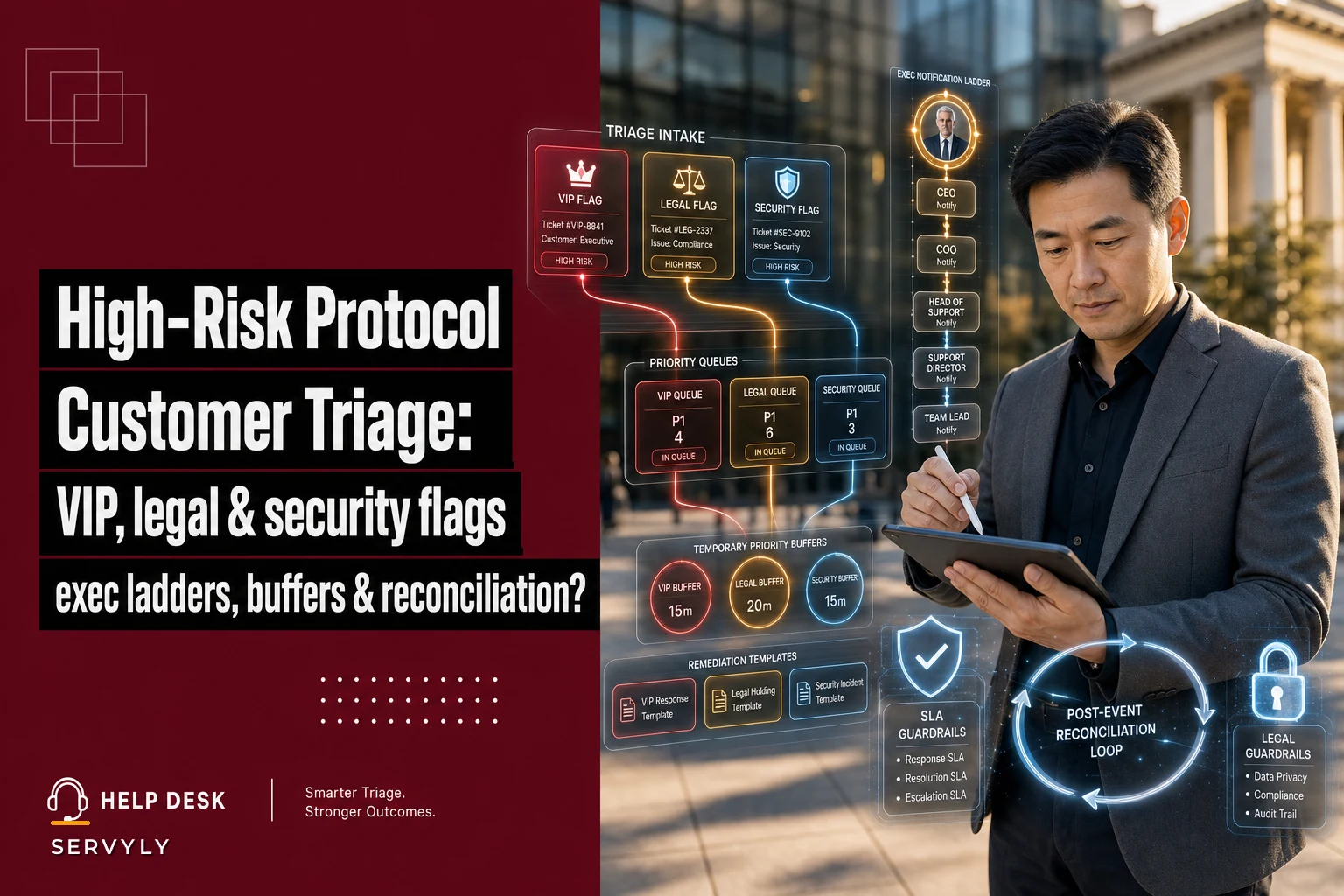

Most support teams don't have a high-risk customer problem until the one ticket that gets mishandled lands in a legal thread, a journalist's inbox, or a renewal call where the account is already half gone. Then suddenly everyone wants a "protocol." The scramble that follows usually produces a bloated document nobody reads, which is arguably worse than having nothing.
The actual problem isn't the absence of a protocol. It's that most teams treat "high-risk" as a single bucket when it's really three very different animals that happen to share an urgency signal. A VIP customer threatening to churn, a user alleging a data breach, and a legal demand letter all feel like fires — but they need completely different handling, different people, and different clocks. Mix them up and you either over-escalate everything (burning your senior people) or under-react to the one that actually hurts you.
This is about building a high-risk customer support protocol that separates those three correctly, notifies the right people at the right moment, and — the part almost everyone skips — reconciles what happened after the dust settles so you're not relearning the same lesson next quarter.
The three risk classes most teams collapse into one
Before any rubric, you have to agree on what you're sorting. Nearly every high-risk ticket falls into one of three classes, and the damage mechanism is different for each.
Revenue/VIP risk. A strategic account, a loud public customer, or a renewal at stake. The clock here is relationship-driven. The damage is churn or an escalation to your exec team through the customer's exec team. Response speed matters, but so does who responds.
Legal risk. Demand letters, GDPR/CCPA data requests, chargebacks threatening regulatory complaints, accessibility complaints citing ADA, anything with the words "my attorney." The damage here is liability, and the single biggest mistake is a well-meaning agent replying substantively before legal sees it. One empathetic "you're absolutely right, that shouldn't have happened" can become an admission.
Security risk. Account takeover reports, suspected data exposure, vulnerability disclosures from researchers, credential-stuffing victims. The damage is containment time — every hour matters — and the handling needs security engineering in the loop, not just support.
| Risk class | What hurts you | Primary enemy | First move |
|---|---|---|---|
| Revenue/VIP | Churn, exec-to-exec escalation | Slow or junior reply | Route to named senior owner, acknowledge fast |
| Legal | Liability, admission of fault | Agents replying substantively | Freeze substantive replies, loop legal |
| Security | Containment time, breach spread | Slow isolation + early PR | Contain first, communicate on a controlled timeline |
These three classes have different enemies. VIP's enemy is slow or junior response. Legal's enemy is a fast, substantive response. Security's enemy is slow containment combined with premature public communication. A single escalation path can't serve all three because their optimal behaviors directly contradict each other.
The triage rubric: flags before feelings
Triage breaks down because agents sort on tone instead of signal. An angry customer gets flagged "high-risk." A calm one quietly writing "I've forwarded this to my legal counsel" gets treated as routine. The rubric has to override gut feel with concrete triggers.
Never lose track of a customer request again.
Servyly helps you track, assign, and resolve every ticket quickly and efficiently.
- Centralized ticket management
- Automated response workflows
- Team collaboration tools
No credit card required
Keep the rubric to things an agent can identify in under thirty seconds without judgment calls. The moment a flag requires interpretation, consistency collapses.
Legal flags (any one triggers the legal path):
-
Mention of attorney, lawyer, counsel, or legal action
-
Formal data subject request language (GDPR, CCPA, "right to be forgotten," "data access request")
-
Regulatory body named (FTC, state AG, data protection authority)
-
Accessibility complaint citing ADA/WCAG
-
Threat of chargeback tied to a complaint narrative, not just a dispute
Security flags (any one triggers the security path):
-
"Someone accessed my account" / unauthorized login reports
-
Claims of exposed data belonging to other users
-
Vulnerability disclosure or "I found a bug that lets me see…"
-
Multiple accounts reporting the same unexpected access in a short window
VIP/revenue flags:
-
Account tier above a defined ARR threshold
-
Named contact on the strategic accounts list
-
Explicit churn or cancellation language from a paying segment
-
Public figure or account with a large public audience
The non-obvious mistake teams make is letting flags stack silently. A ticket can be both VIP and legal — a strategic customer threatening regulatory action. When classes overlap, legal and security always win the handling rules even when VIP wins the attention. The VIP account manager can be looped for relationship management, but they don't get to drive the response content on a legal or security ticket.
Write that precedence rule down explicitly, because under pressure a senior AM will absolutely try to "just handle it."
Write that precedence rule down explicitly, because under pressure a senior AM will absolutely try to "just handle it."
A ticket can be both VIP and legal — a strategic customer threatening regulatory action. When classes overlap, legal and security always win the handling rules even when VIP wins the attention. The VIP account manager can be looped for relationship management, but they don't get to drive the response content on a legal or security ticket. Write that precedence rule down explicitly, because under pressure a senior AM will absolutely try to "just handle it."
A quick visual of the triage workflow can help teams internalize the routing, notification, and reconciliation steps.
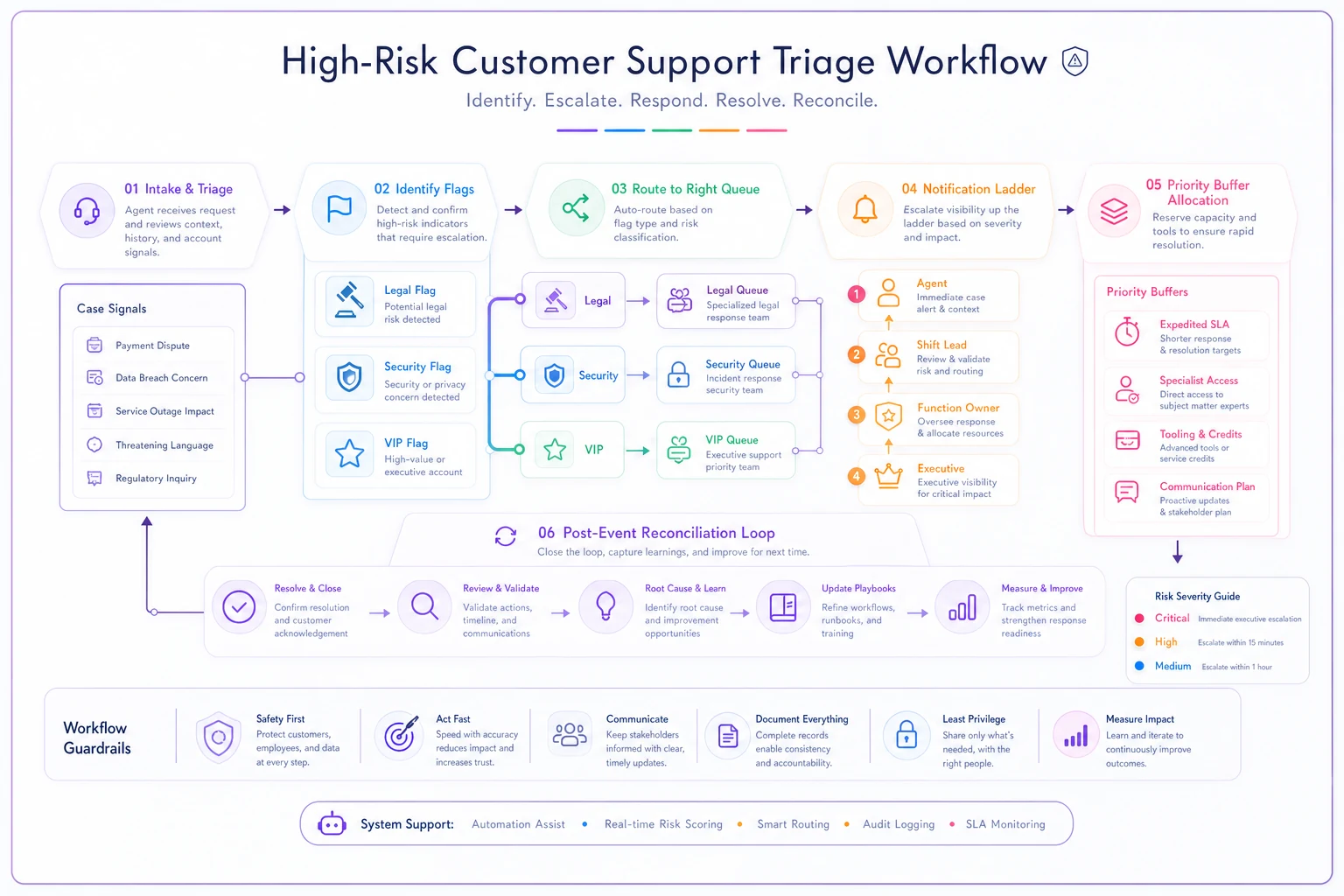
When classes overlap, legal and security always win the handling rules even when VIP wins the attention. The VIP account manager can be looped for relationship management, but they don't get to drive the response content on a legal or security ticket.
Executive notification ladders that don't cry wolf
Notification ladders fail in two directions. Either everything pages the VP (so they mute it), or nothing reaches leadership until it's already on fire. The fix is tying notification to severity plus class, not a single alarm.
Think of it as rungs, where each rung has a defined audience and a defined trigger. By the time something reaches the top rung, the people there already have context from the lower ones — no cold surprises.
-
Rung 0 — Agent + queue flag. The flag is set, the ticket moves to the high-risk queue, SLA clock starts on the stricter timer for that class.
-
Rung 1 — Shift lead / duty manager. Any legal or security flag notifies here immediately. VIP flags notify here only if churn/cancellation language is present or the account is above the top tier.
-
Rung 2 — Function owner. Legal flags → legal/compliance contact. Security flags → security on-call. VIP flags → account owner or head of CS. This rung is where substantive response ownership transfers.
-
Rung 3 — Executive. Reserved for confirmed events
a verified data exposure, a filed regulatory complaint, a top-10 account in active churn, or anything likely to go public within 24 hours.
The discipline that makes this work is a quiet rule: lower rungs inform upward even when they resolve. If a security flag turns out to be a user who forgot they logged in from their phone, Rung 1 still gets a one-line "resolved, false alarm." That habit is what keeps Rung 3 trusting the signal when it finally fires for real. The teams whose exec notifications get ignored are almost always the ones where the exec only ever heard about disasters, never the near-misses that got handled cleanly.
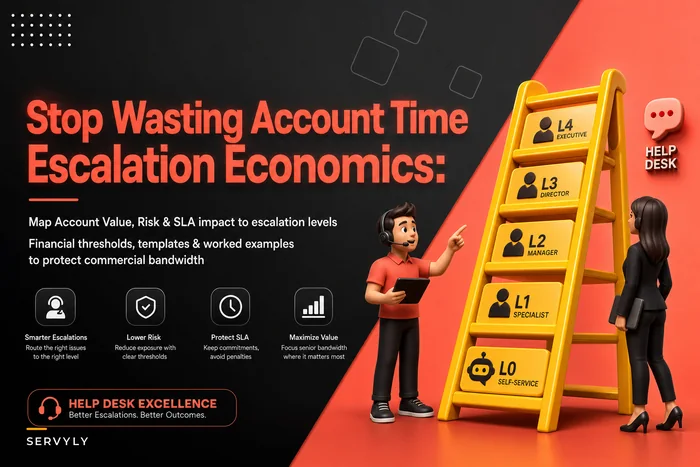
Worth being honest about — notification ladders only work if people pulling the trigger understand the cost of escalating. If you haven't thought through what pulling senior people into tickets actually does to their day, the ladder either gets overused or quietly abandoned. The logic in escalation economics for support applies directly here: each rung has a cost, and you want the expensive rungs reserved for genuinely expensive problems.
Priority buffers: protecting SLAs without starving everyone else
High-risk tickets jump the queue. That's the point. But if you let them jump freely, a bad week of VIP escalations quietly blows the SLA for every normal customer, and you've traded a visible problem for an invisible one.
A priority buffer is capacity you reserve specifically so high-risk work doesn't cannibalize standard SLAs. In concrete terms: hold back a defined slice of your senior agents' hours — not available for normal queue work — so that when a legal or security flag fires, someone can pick it up without yanking an agent off a committed SLA ticket mid-flight.
A typical setup looks like reserving somewhere around 10–15% of senior capacity as buffer. On a team with eight senior agents, that's roughly one person's day held in reserve, rotated so it's not always the same person losing their focus time. When the buffer goes unused on a quiet week, that capacity flows back to the standard queue — but it's never committed to standard SLAs, so pulling it doesn't cause a breach.
The mistake is sizing the buffer off averages. High-risk events are bursty. You'll have three quiet weeks and then a security incident that spawns forty related tickets in a day. Size the buffer against your bad weeks, not your typical ones, and track how often you exhaust it. If you're blowing through it more than occasionally, that's a staffing signal, not a triage signal.
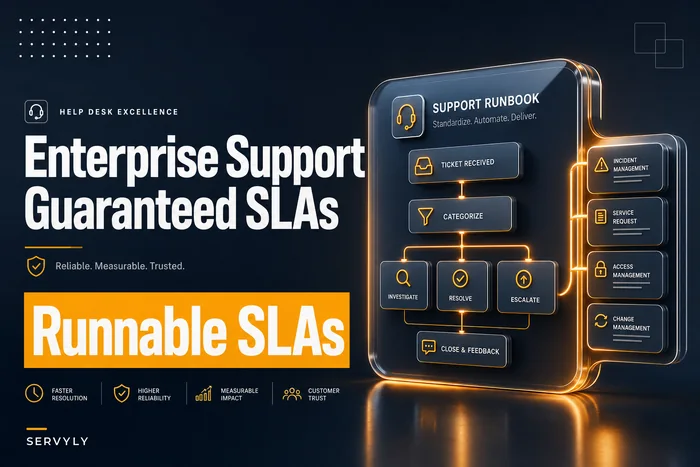
If your SLA commitments are contractual — which they often are for the exact enterprise accounts most likely to generate high-risk tickets — the buffer interacts directly with what you've promised in writing. Teams that negotiate enterprise support contracts with guaranteed operational SLAs should make sure the contract language leaves room for this reserved capacity, otherwise you're legally obligated to a commitment your own triage protocol undermines.
Remediation templates: structure without robotic replies
Templates for high-risk tickets are a trap and a necessity at the same time. You need them because under pressure agents improvise, and improvisation is exactly what gets you into legal trouble. But a canned reply to a customer alleging a breach of their data reads like a corporation hiding behind a wall, which makes everything worse.
The resolution is to template the structure and the constraints, not the words. A high-risk remediation template should specify:
-
What you may say (acknowledgment of receipt, timeline for next update, who owns it now)
-
What you may not say (fault, cause, promises of compensation, speculation about scope)
-
Who must approve before it goes out (legal for legal-class, security for security-class)
-
The next-update clock — when the customer will hear from you again, even if there's nothing new
That last point is the one teams consistently underrate. For legal and security tickets especially, the thing that de-escalates is predictable contact, not fast resolution. A customer who hears "we take this seriously, you'll have an update by Thursday 5pm" and then actually gets one Thursday at 4:50 calms down even when the news isn't final. Silence is what drives people to lawyers and Twitter.
Build maybe three or four templates, not twenty. One for legal-hold acknowledgment, one for security incident acknowledgment, one for VIP escalation ownership transfer, and one generic holding reply for when you've flagged and routed but aren't ready to say much else. More than that and agents can't remember which to grab.
Post-event reconciliation: the step that actually prevents repeats
This is where almost every high-risk protocol dies. The event resolves, everyone exhales, and nothing is captured. Six months later a nearly identical situation unfolds and the team improvises from scratch again.
Reconciliation doesn't need to be a heavy post-mortem for every flagged ticket — most are false alarms or routine handling. Reserve the real reconciliation for anything that reached Rung 2 or above, or anything where a flag was missed and should have fired.
-
Did the flag fire correctly? Was it caught by the rubric, or did an agent catch it manually (meaning the rubric has a gap)?
-
Did the right rung get notified, at the right time? Late notifications and skipped rungs both get logged.
-
Did we honor the SLA and the legal constraints simultaneously? Flag any case where protecting the SLA pushed someone to reply before legal cleared it. That's the dangerous tradeoff you most need visibility into.
-
What template was used, and did it hold up? Templates that got heavily edited on the fly are telling you the template is wrong.
-
One rubric or ladder change, if warranted. Not a laundry list — one concrete adjustment.
The pattern worth watching across reconciliations: missed flags cluster around new attack surfaces. A new product feature, a new regulation, a new type of fraud — the rubric was written for last year's risks. Reconciliation is how it stays current instead of calcifying.
A real scenario
A B2B SaaS company with a small support team — around nine agents, two of them senior — kept hitting the same wall. Roughly once a month, a legal-flavored ticket (usually a GDPR data request or an attorney mention) would sit in the general queue for most of a day because agents weren't sure it was "really" legal versus just an angry customer using scary words. One of those slipped far enough that an agent apologized in writing and implied the company had mishandled the customer's data before anyone in compliance had reviewed the account. It didn't become a lawsuit, but it created a tense few weeks and a very uncomfortable conversation.
They put in a basic version of everything above: a one-page flag rubric agents could check in seconds, a three-rung notification ladder, roughly 12% of senior time held as buffer, and four templates. Nothing fancy, mostly enforced through their ticketing tool's tagging and routing rules plus a shared doc.
Over the next two quarters, the median time to route a legal-flagged ticket to compliance dropped from somewhere around 6–7 hours to under 45 minutes. Just as important, substantive agent replies on legal tickets before compliance review went to essentially zero, because the template simply didn't give agents the words to do it. Standard-queue SLA attainment didn't drop — the buffer absorbed the high-risk bursts instead of standard tickets paying for them. No dramatic revenue number attached to it; the win was that the scary tickets stopped being scary.
When this is worth building — and when it isn't
A full protocol with buffers and ladders is overkill for a team handling a handful of tickets a week with one owner who sees everything. If one person touches every ticket, they are the triage layer. Formalize when volume or team size means high-risk tickets can land with someone who won't recognize them.
It's also a bad fit to build heavy if you don't have real legal or security contacts to route to. A notification ladder with no one on Rung 2 is theater. Get the escalation destinations confirmed — actual names, actual response expectations — before you build the mechanism that routes to them.
And a caution: resist the urge to expand the high-risk queue to cover "important" tickets generally. The second your rubric starts flagging anything merely urgent, the buffer overflows, the ladder gets noisy, and the whole thing collapses back into the undifferentiated mess you started with. High-risk means liability, containment, or genuine strategic-account churn. Keep it narrow and it stays trustworthy.
The teams that handle these situations well aren't the ones with the longest protocol document. They're the ones who sorted the three risk classes correctly, kept the flags simple enough to use under pressure, and actually looked back afterward to see whether the system did what it was supposed to. The protocol isn't the document. It's the discipline of sorting fast, notifying the right rung, holding the line on what gets said, and learning from each one before the next.
Ready to transform your support operations?
Join 500+ support teams using Servyly to reduce resolution times, improve customer satisfaction, and boost team productivity.